 Merriwood
Client pages and signed agreements
See each client, approve new ones, and find their signed agreements.
Step by step
- Open Clients. Each row shows the contact, CQC and terms, bookings and status.
- Click Approve on a new client. Nothing is sent to them.
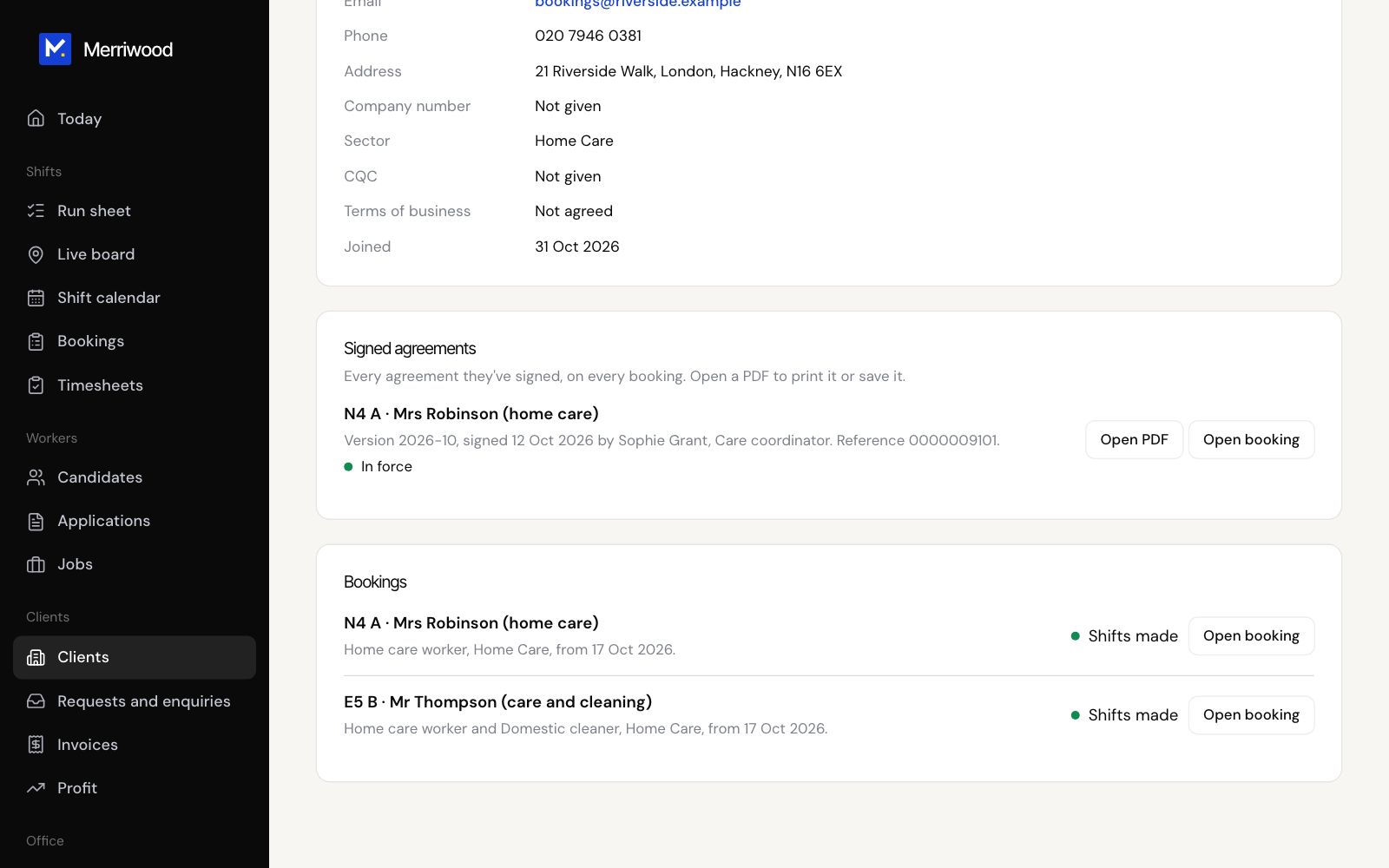
- Click a client to open their page, with their details and bookings.
- Under Signed agreements, each version shows when and who signed, and whether it's in force, out of date or replaced. Click Open PDF to see it.
Good to know
- No signed agreement yet? Send one from their booking.