 Merriwood
New applicants and their papers
Find people who've signed up, check their documents and mark them verified.
Step by step
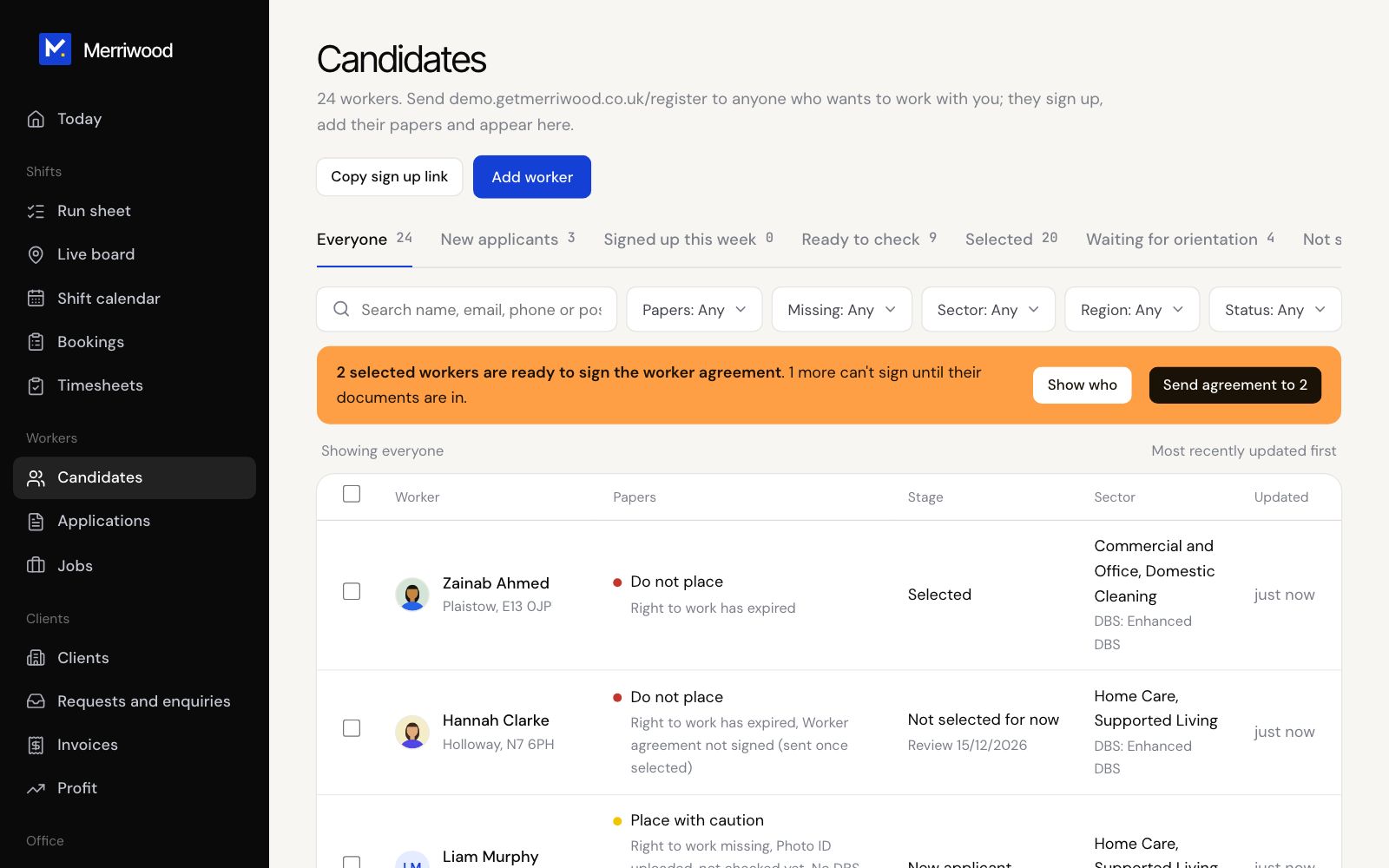
- Open Candidates. Use the tabs, for example New applicants or Ready to check, to see who needs you.
- Use the filters to narrow it down by papers, what's missing, sector or region.
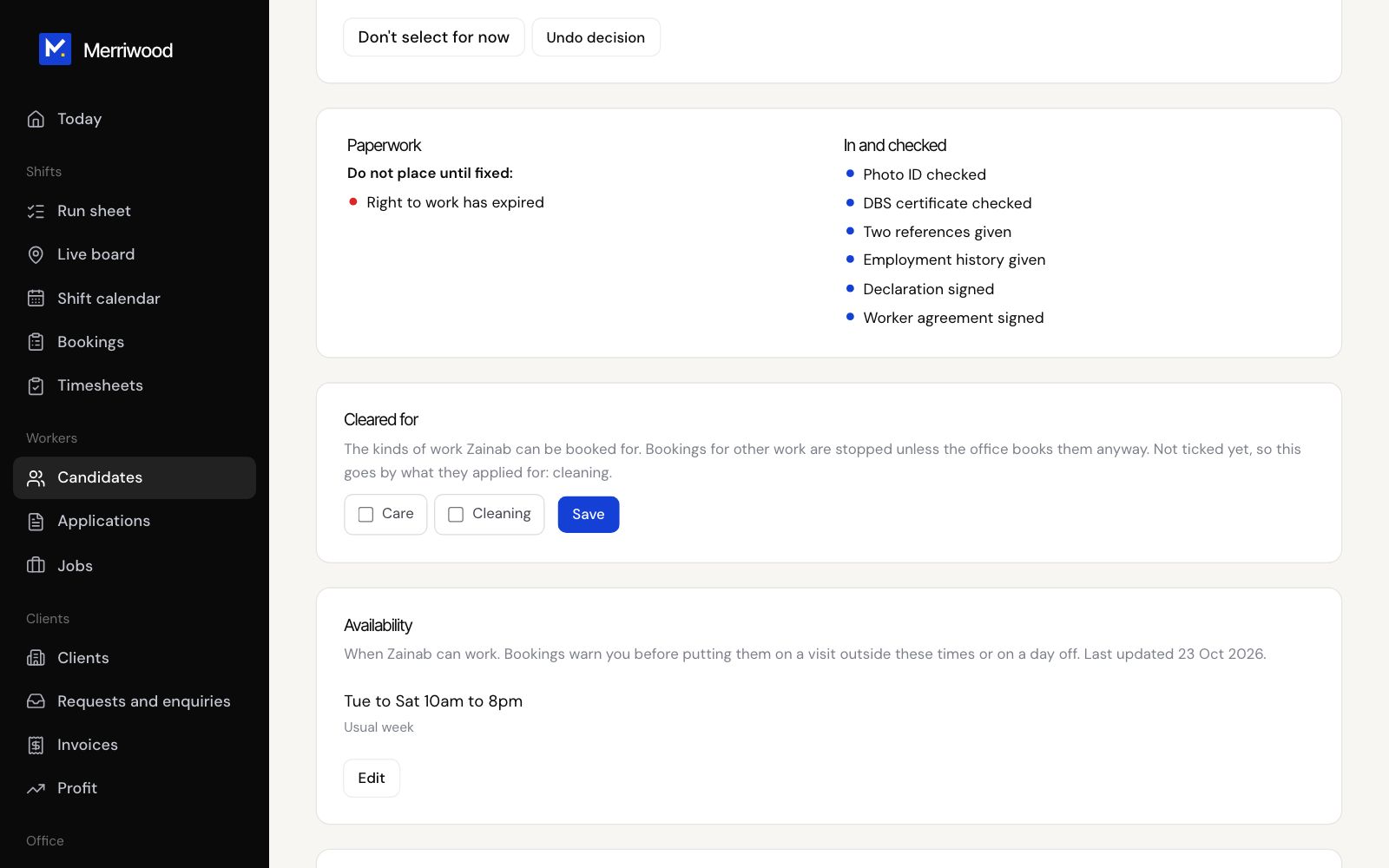
- Click a name to open their file. The Paperwork panel shows what stops placement, what to place with caution, and what's in and checked.
- Under Documents, click Checked or Reject on each one.
- Use Check DBS on GOV.UK and Record the result for their DBS.
- When everything's right, click Mark verified. They get an email saying their checks are complete.
Good to know
- Need something from them? Use Request missing items. They get a link by email and text, with reminders after 3 and 7 days.
- Copy sign up link gives you the link to send anyone who wants to work with you.
- Add worker lets you add someone yourself and invite them to choose a password.