 Merriwood
Select someone for orientation
Decide who joins your team and send them the welcome.
Step by step
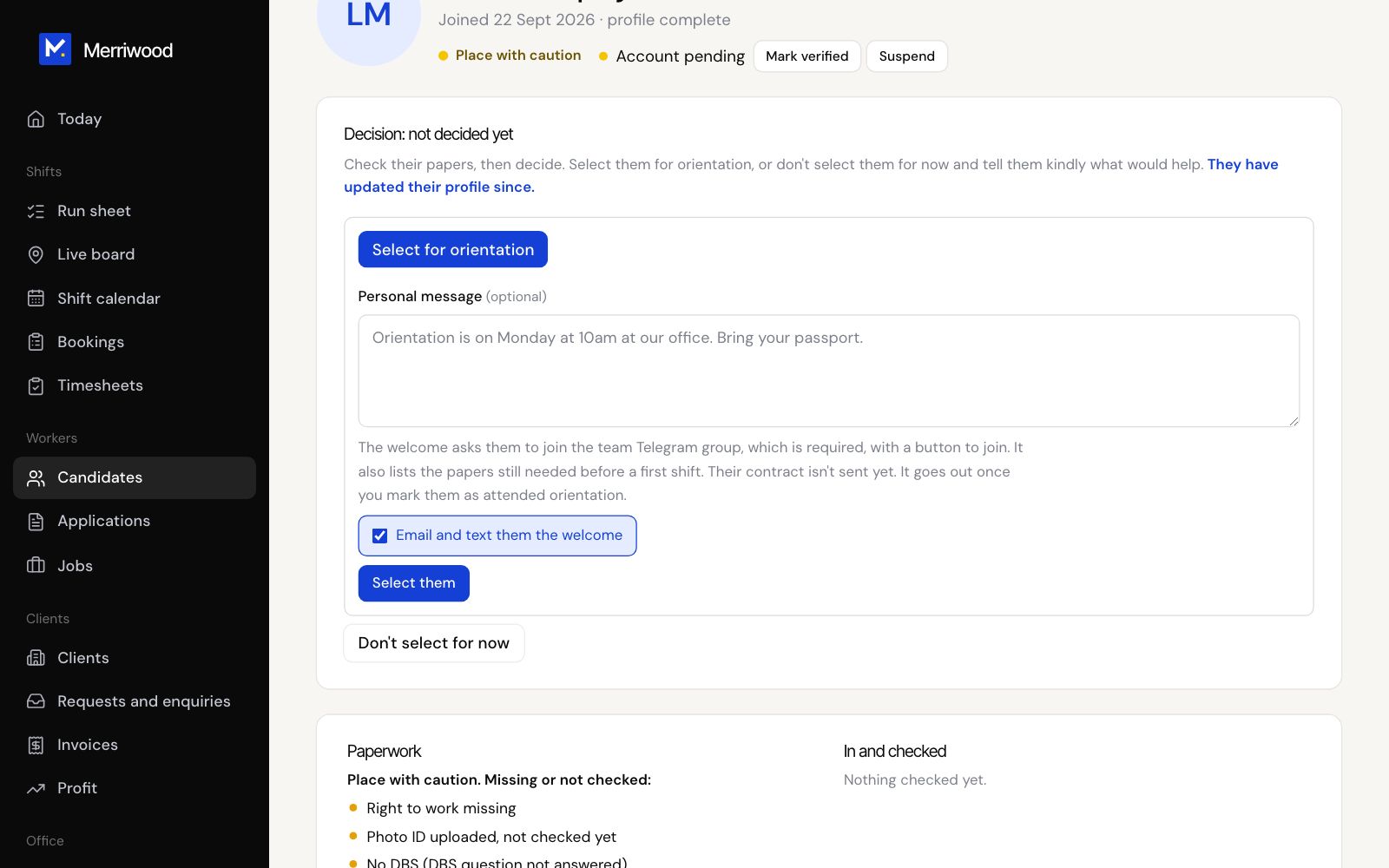
- Open the worker's file and find Decision.
- Click Select for orientation.
- Add a Personal message if you like. Leave Email and text them the welcome ticked.
- Click Select them. Their stage becomes Selected.
- They get an email and a text inviting them to orientation on Zoom on Saturdays, with the team Telegram link and anything still needed.
Good to know
- Not ready yet? Choose Don't select for now, write what would help, and pick when to look again. They get a kind email, and they show under Due a second look when the date comes.
- Undo decision moves them back to new and sends nothing.