 Merriwood
Payroll and accounts exports
Download files for your payroll software and your accounts.
Step by step
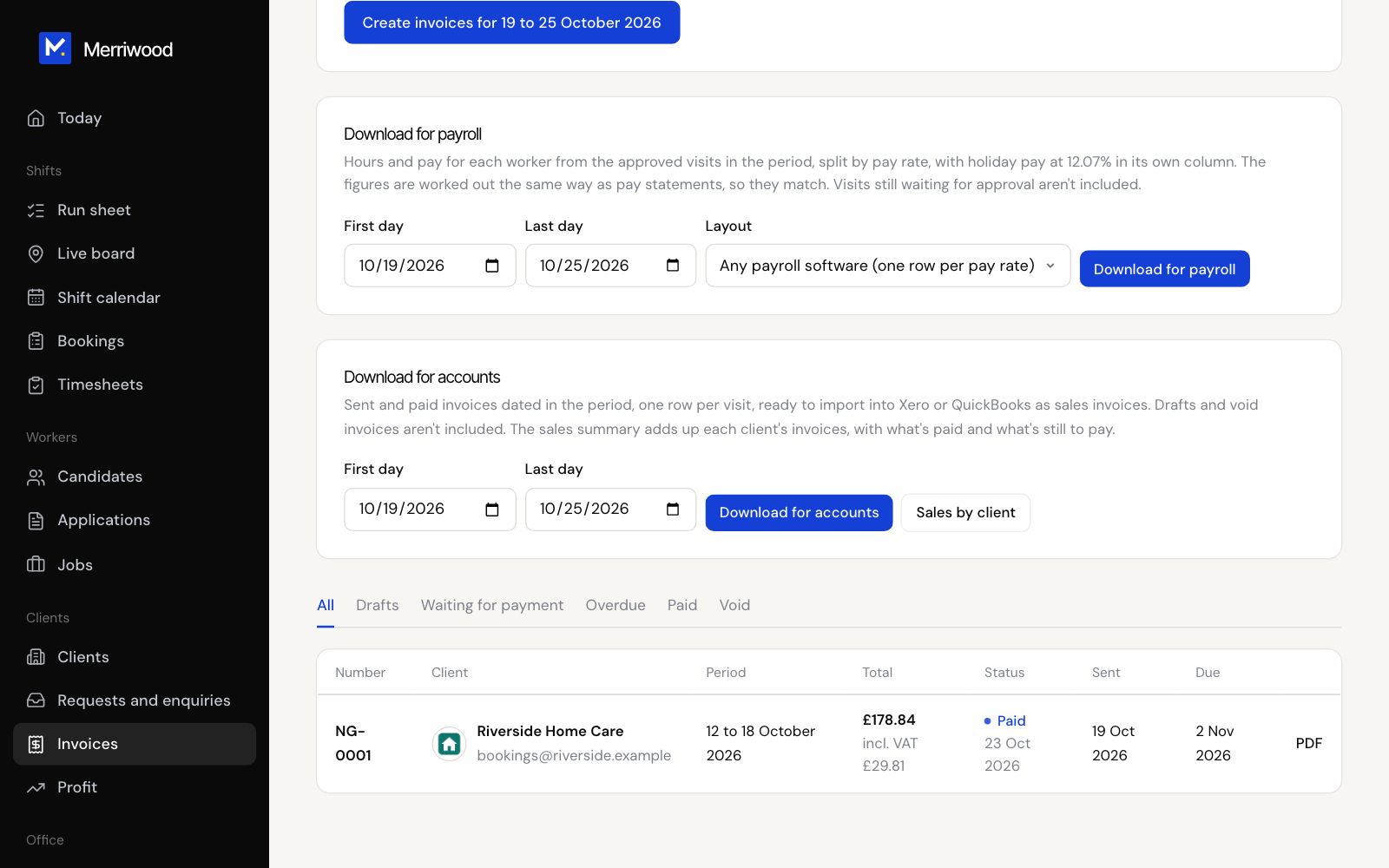
- Open Timesheets or Invoices and click Download for payroll.
- Pick the first and last day. It starts as last week, Monday to Sunday.
- Choose the Layout: Any payroll software, or BrightPay or Sage 50.
- Click Download for payroll. Only approved visits are included, with holiday pay in its own column.
- For your accounts, open Invoices, pick the dates under Download for accounts and click Download for accounts. The file is ready for Xero or QuickBooks.
Good to know
- Sales by client gives one row per client for the period.