 Merriwood
Timesheets
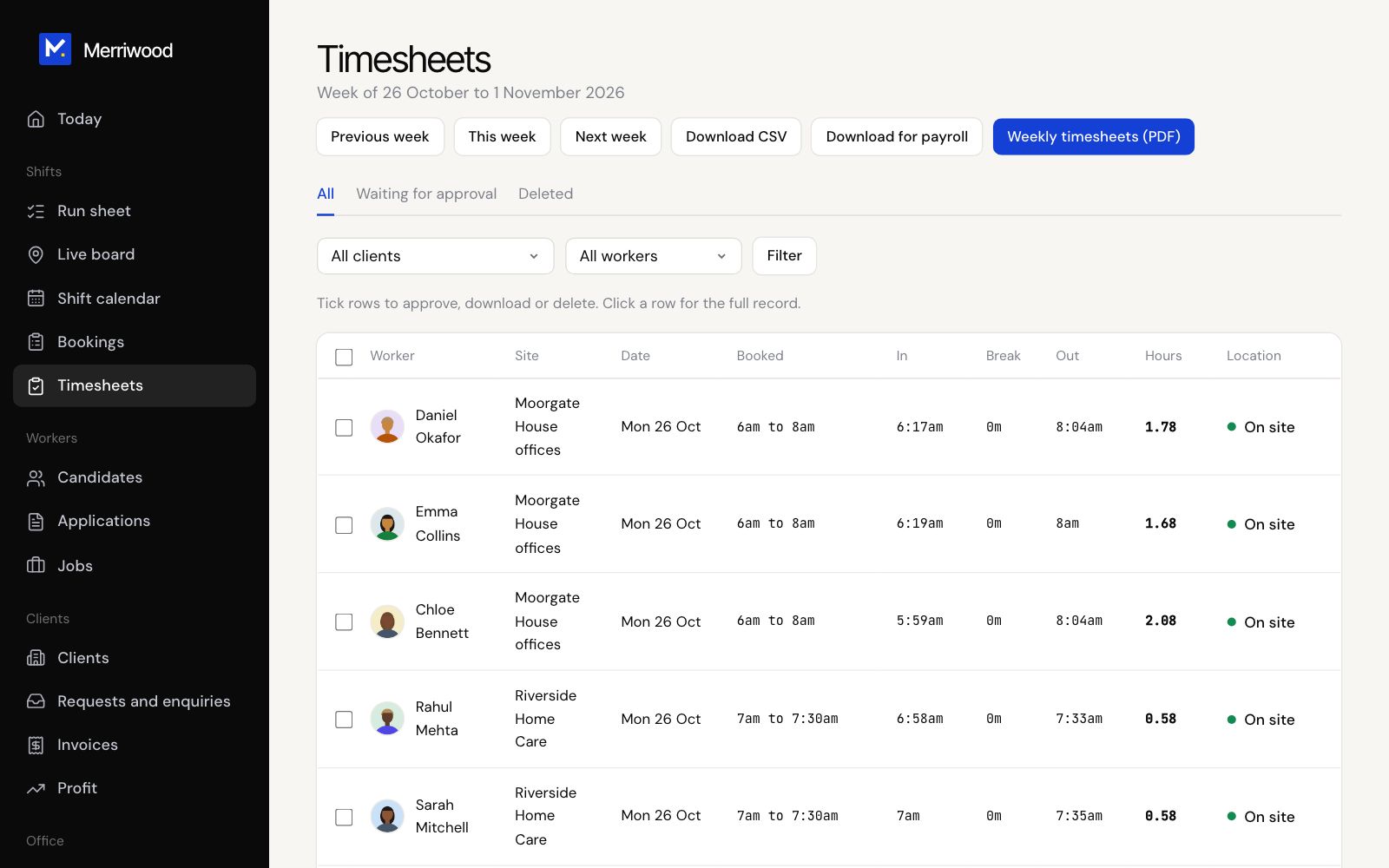
Check and approve the hours worked each week.
Step by step
- Open Timesheets. It shows this week. Use Previous week and Next week to move.
- Click Waiting for approval to see what needs checking.
- Tick the rows that are right and click Approve.
- To fix a time, click the row, then Edit times. Correct the clock in, break or clock out, give a reason, and click Save times. It then needs approving again.
- Use Download CSV or Weekly timesheets (PDF) if you need paper copies.
Good to know
- Only approved visits go on invoices and pay statements.
- Visits already on an invoice or pay statement can't be changed or unapproved.
- Deleted shows deleted visits, which you can restore for 30 days.