 Merriwood
The run sheet and team message
One page for the day's visits, and a ready made message for the team group.
Step by step
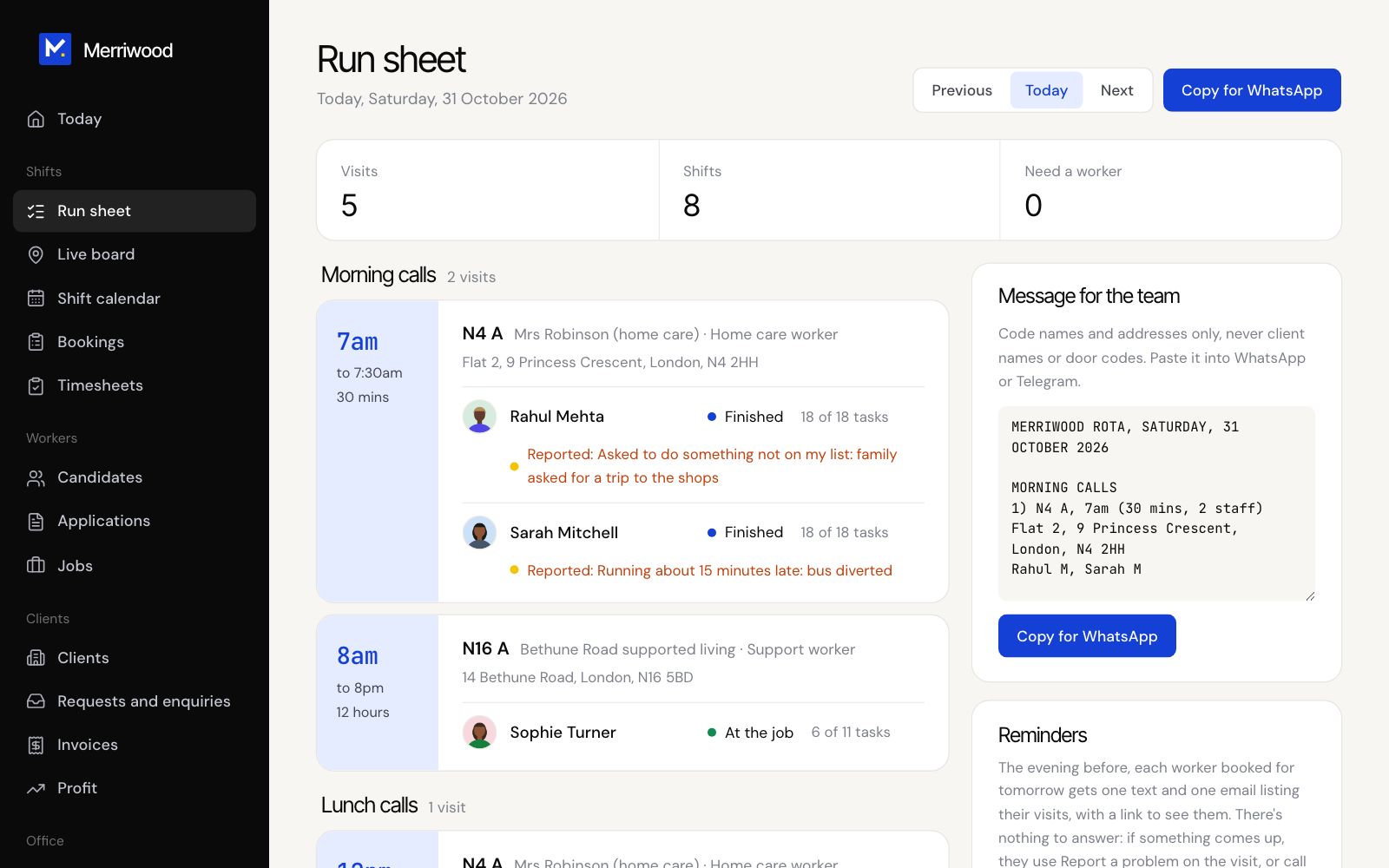
- Open Run sheet. It shows today's visits, grouped into morning, lunch, tea time and evening calls.
- Each worker shows their status, tasks done, any visit note and photos, and anything they've reported.
- Use Previous and Next to see other days. Click Find someone on any visit that needs a worker.
- Under Message for the team, click Copy for WhatsApp and paste it into your team group.
- To message lots of people at once, open Broadcast. Choose the audience, region and channels, write the message, type SEND and click Send broadcast.
Good to know
- The team message uses code names and addresses only, never client names or door codes. Nothing is sent from the run sheet. You paste it yourself.
- Broadcasts only reach people who've opted in to that channel.