 Merriwood
Reminder and text settings
Choose which reminders workers get, and when.
Step by step
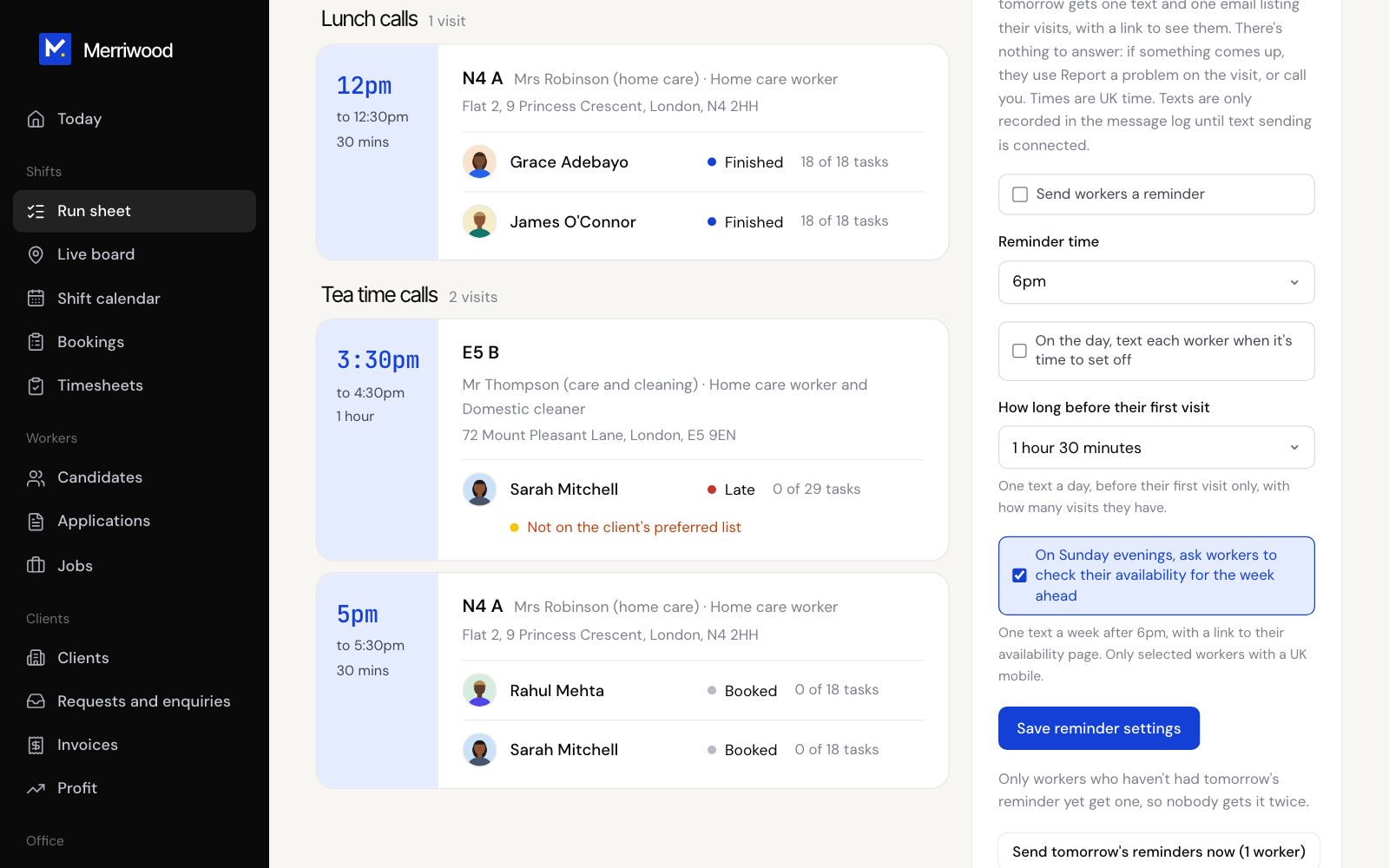
- Open Run sheet and find the Reminders card.
- Tick Send workers a reminder and set the Reminder time. The evening before, each worker booked tomorrow gets a text and an email listing their visits.
- Tick On the day, text each worker when it's time to set off, and choose how long before their first visit.
- Tick On Sunday evenings, ask workers to check their availability for the week ahead.
- Click Save reminder settings.
- Need tomorrow's reminders out early? Click Send tomorrow's reminders now. Nobody gets it twice.
Good to know
- Evening reminders and set off texts are off until you switch them on. The Sunday check is on to start with.
- After every finished visit, the worker is texted and emailed their next visit automatically.
- If texts aren't connected yet, they're kept in the Message log instead.