 Merriwood
When something goes wrong
Problems workers raise with Report a problem, and swapping someone.
Step by step
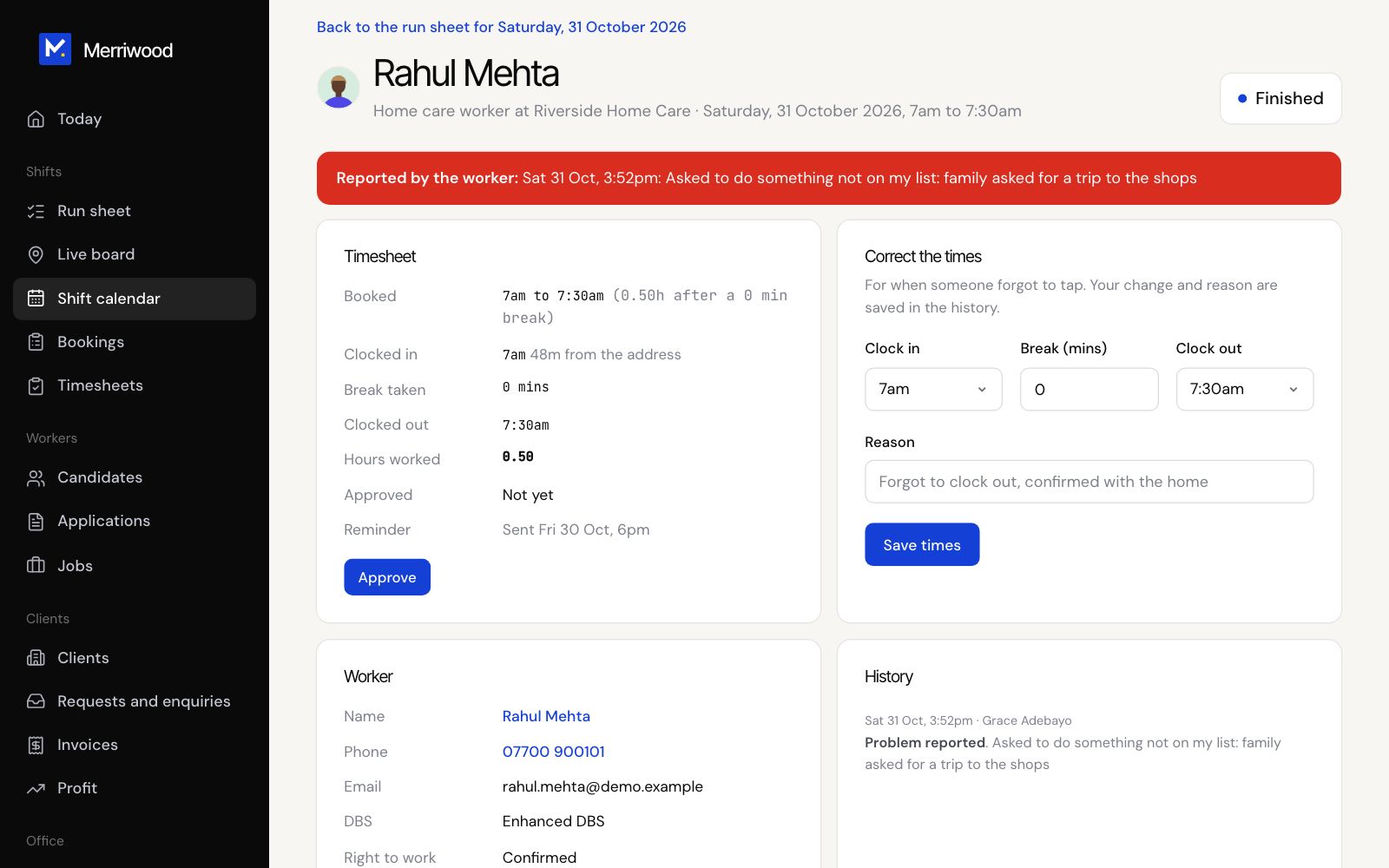
- When a worker reports a problem, you get an email, a phone alert and a text straight away. It also shows on the run sheet and the shift.
- Open the shift to see Reported by the worker, and call them or the client.
- To swap the worker, go to Edit shift, choose someone else under Worker, leave Email and text the worker if the worker or time changes ticked, and click Save changes.
- If a worker couldn't clock in, use Clock in for them. If they forgot to finish, use Finish for them.
Good to know
- If a worker reports Running late before clocking in, the client contact is texted and emailed for you.
- Once someone has clocked in you can't change the worker. Delete the shift and book a new one instead.
- Workers don't confirm or turn down shifts. If something comes up, they use Report a problem or call the office.
- The worker taken off a shift is sent a text and an email saying which visit, unless you untick Email and text the worker. Removing or deleting visits tells the workers on them too.