 Merriwood
Phone alerts, texts and job alerts
Choose how we let you know about shifts and new jobs.
Step by step
- Tap Me and find Phone alerts. Tap Turn on and allow notifications when your phone asks.
- You'll get a test alert saying Alerts are on.
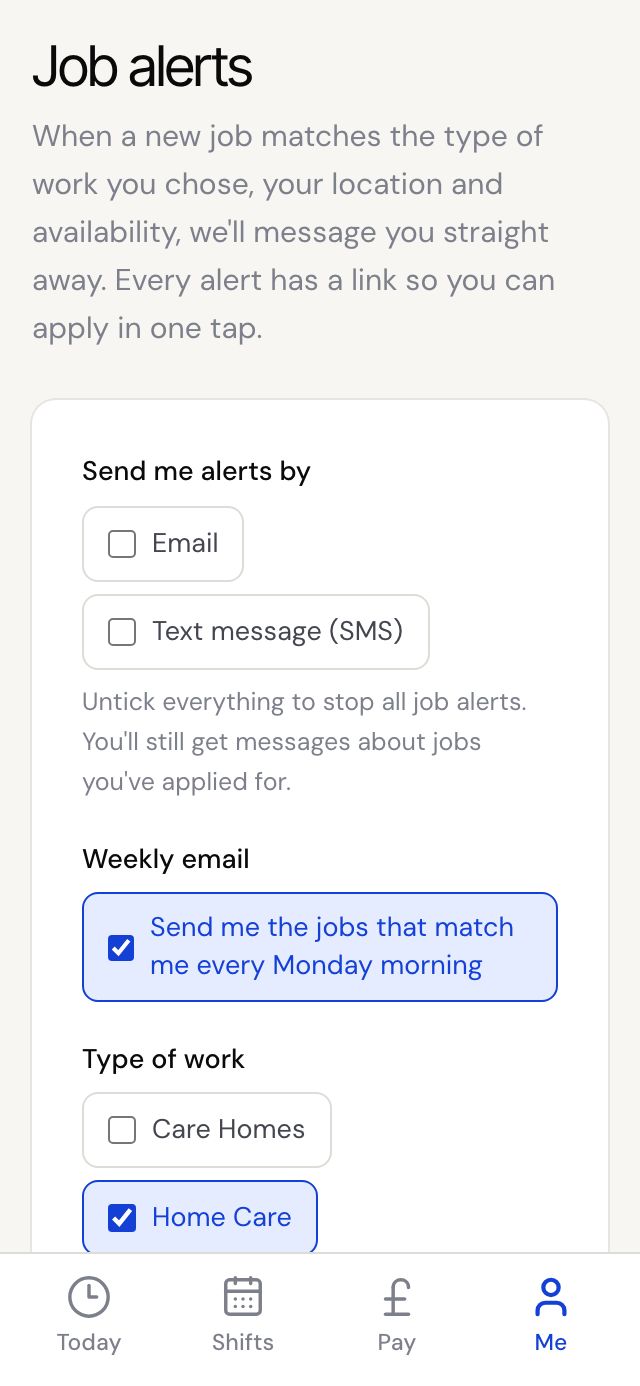
- For new job alerts, tap Me, then Job alerts. Choose Email or Text message, the type of work and how far you'll travel, then tap Save preferences.
Good to know
- Phone alerts are set per phone. Turn them on again on a new phone.
- On iPhone, put the app on your home screen first, then turn on alerts from inside the app.
- Texts about your shifts, like being booked, always come so you don't miss work. Reply STOP to a job alert text to stop job alerts.