 Merriwood
Your availability and days off
Tell your agency the hours you usually work and the days you can't.
Step by step
- Tap Me, then My availability.
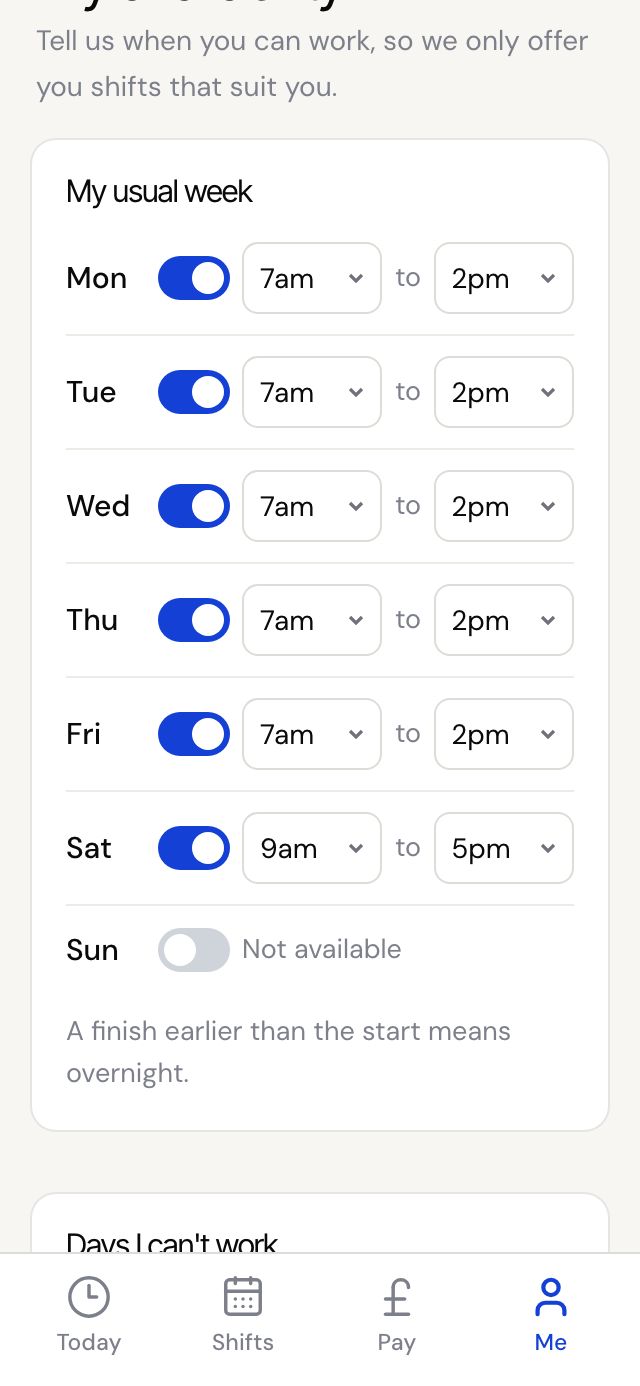
- Under My usual week, switch each day on or off and set the times you can work from and to.
- A finish time earlier than the start means an overnight shift.
- Going away? Under Days I can't work, tap Add days off, pick the From date, and the To date if it's more than one day. Add a note like Holiday if you want.
- Tap Save my availability. You'll see Thanks, your availability is saved.
Good to know
- The office only offers you work inside these hours, so keep them right.
- On Sunday evenings your agency may text you to check your availability for the week ahead. Tap the link to update it.
- If the office changes your availability for you, they can text or email you to check it's right.