 Merriwood
Your shifts
See every visit you're booked on, day by day.
Step by step
- Tap Shifts at the bottom of the app.
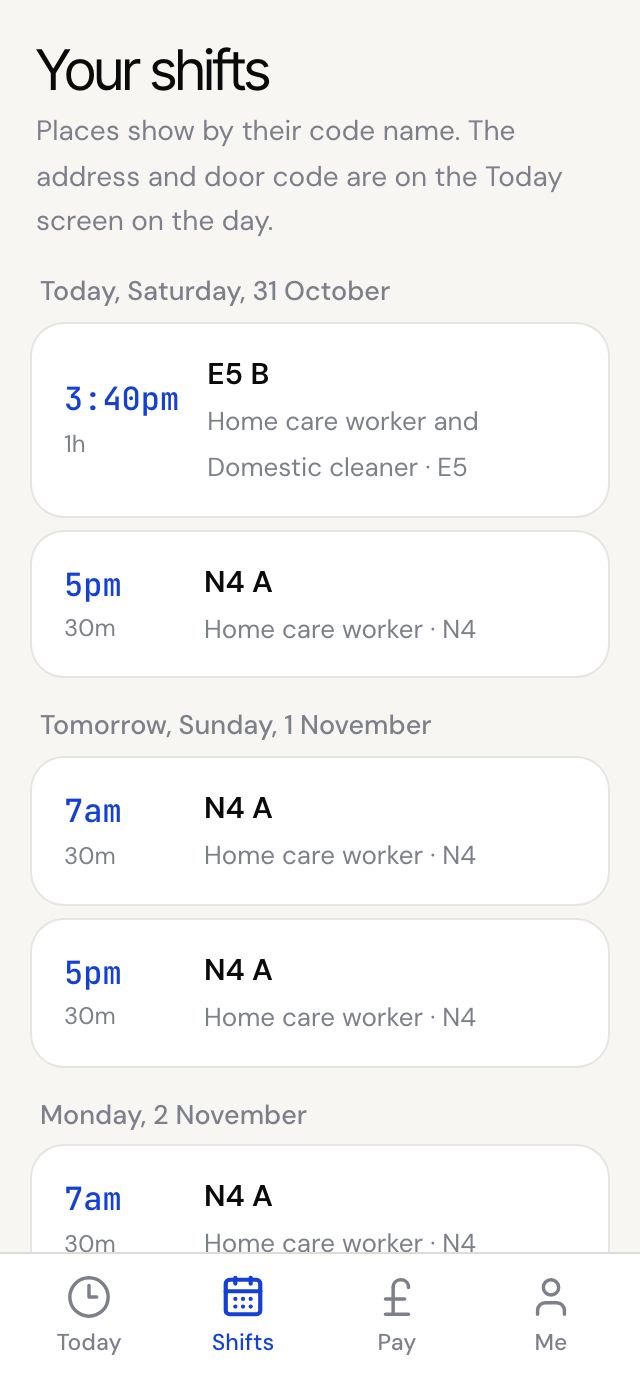
- Your visits are listed by day, starting with today and tomorrow. Each shows the time, how long it is, the place's code name, your role and the area.
- The full address and how to get in only show on the Today screen, on the day.
- Scroll down to Last three weeks to see the hours you worked.
Good to know
- You don't need to accept or confirm a shift. When the office books you, you get a text and an email, and a phone alert if alerts are on.
- If your agency has reminders switched on, you'll get a text and email the evening before listing tomorrow's visits. There's nothing to reply.
- Can't make a shift? Call the office as soon as you know.