 Merriwood
Your pay and hours
See your pay statements and the hours you've worked.
Step by step
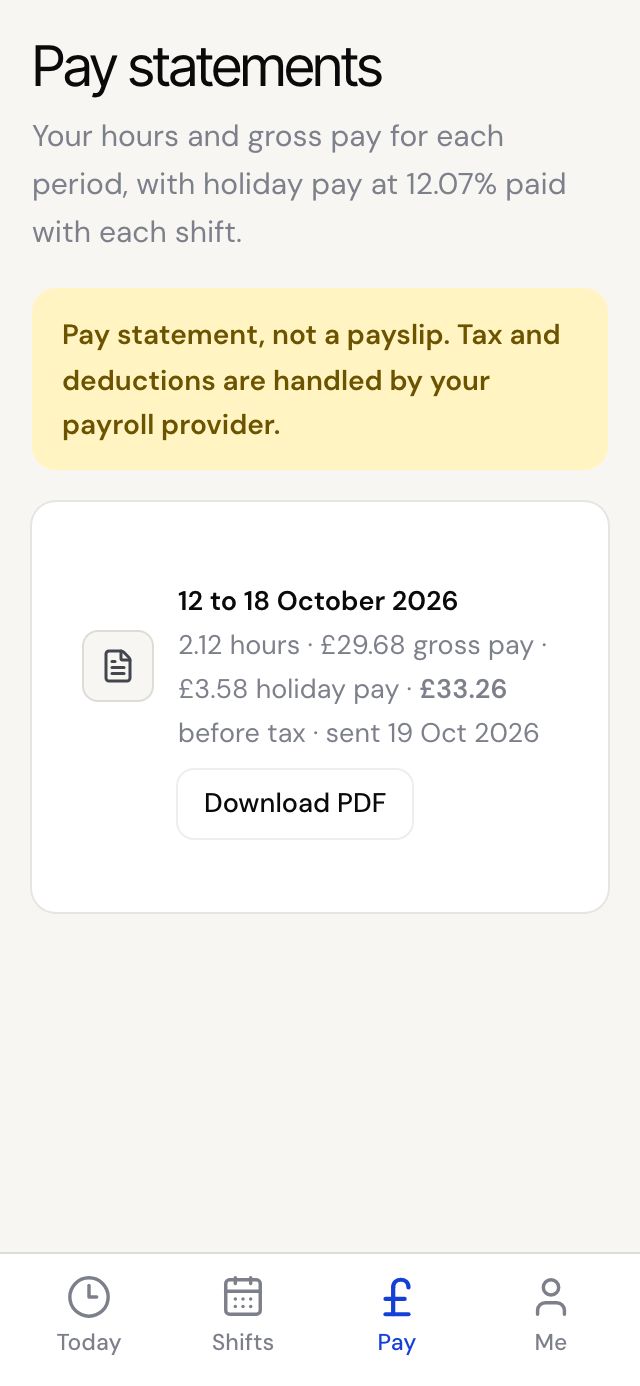
- If your agency has switched pay statements on, you'll see Pay at the bottom of the app.
- Tap Pay to see each statement: the period, hours, gross pay, holiday pay and the total before tax.
- Tap Download PDF to keep a copy. We also email you each statement when it's sent.
- To check hours for each visit, tap Shifts and scroll to Last three weeks.
Good to know
- A pay statement isn't a payslip. Tax and deductions are handled by your payroll provider.
- Your hours come from your clock in and Finish visit times. If a time is wrong, tell the office.