 Merriwood
Report a problem
Tell the office straight away if something's wrong at a visit, or you're running late.
Step by step
- On the Today screen, tap Report a problem.
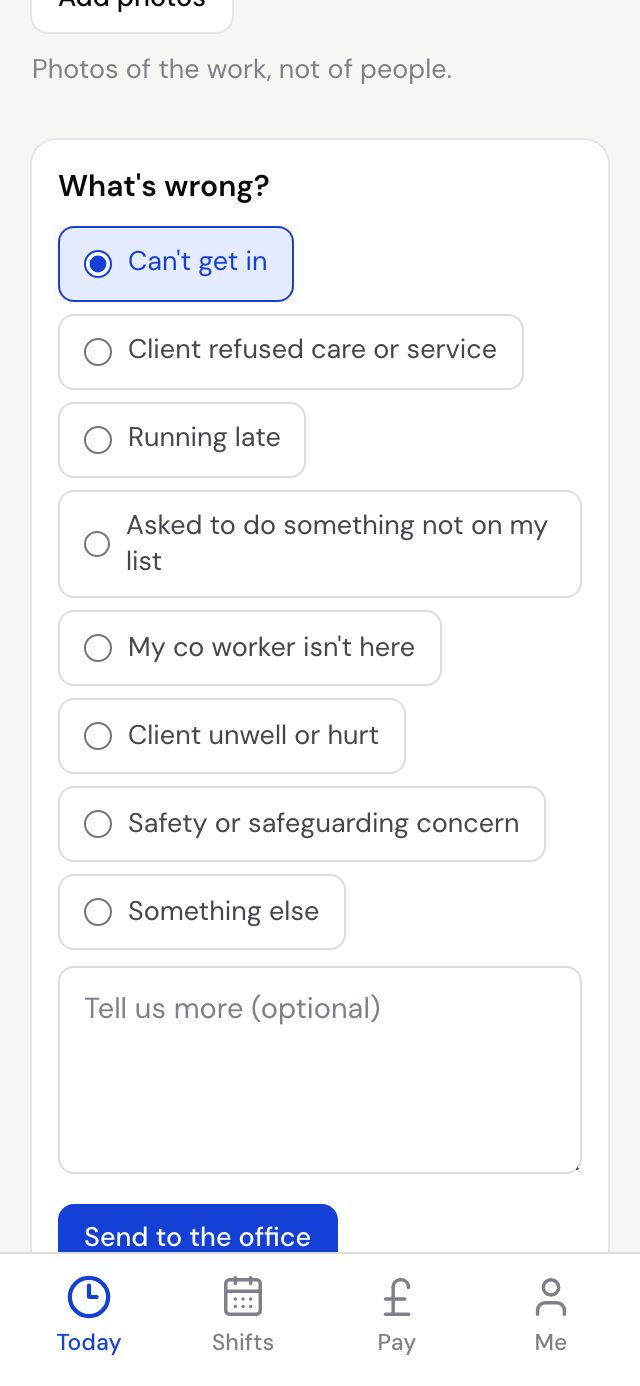
- Pick what's wrong: Can't get in, Client refused care or service, Running late, Asked to do something not on my list, My co worker isn't here, Client unwell or hurt, Safety or safeguarding concern, or Something else.
- For Running late, choose about how late you'll be.
- Add more detail in Tell us more if it helps, then tap Send to the office.
- If it's urgent, tap Call the office as well.
Good to know
- If anyone is in danger, call 999 first.
- The office gets your report straight away by email, phone alert and text.
- If you report Running late before you clock in, the client is told you're on your way.