 Merriwood
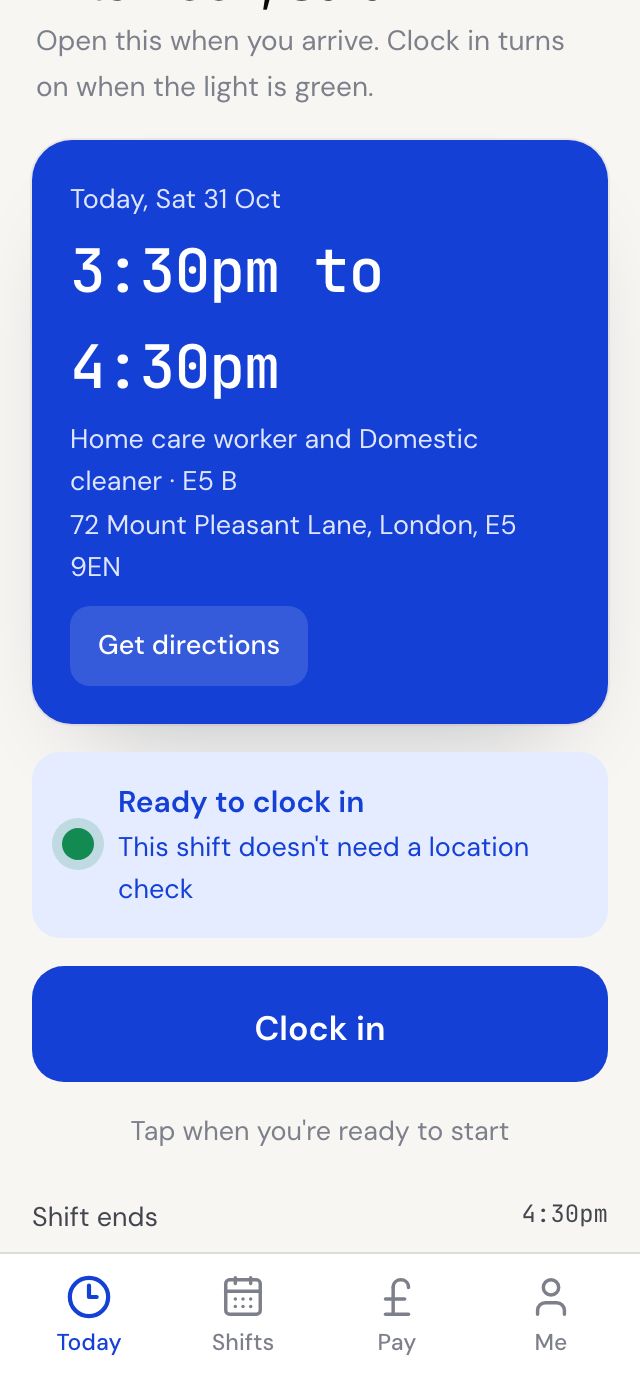
Clock in when you arrive
Open the app when you get there. Clock in turns on when the light is green.
Step by step
- Tap Today at the bottom of the app. Your next visit shows with its address, Get directions, and how to get in.
- Allow location when your phone asks. The light shows You are at the job once you're close enough.
- Tap Clock in. You'll see Clocked in. Have a good shift.
- Taking a break? Tap Start break, then End break when you're back.
Good to know
- You can clock in from 60 minutes before the start time. Earlier than that, the button tells you when it opens.
- If you're not at the job yet, the screen shows how far away you are. If your location won't work, call the office and they'll clock you in.
- Some places don't need a location check. Then the light says Ready to clock in.
- If the client has asked for it, they get a message to say you've arrived.