 Merriwood
Tick off your tasks
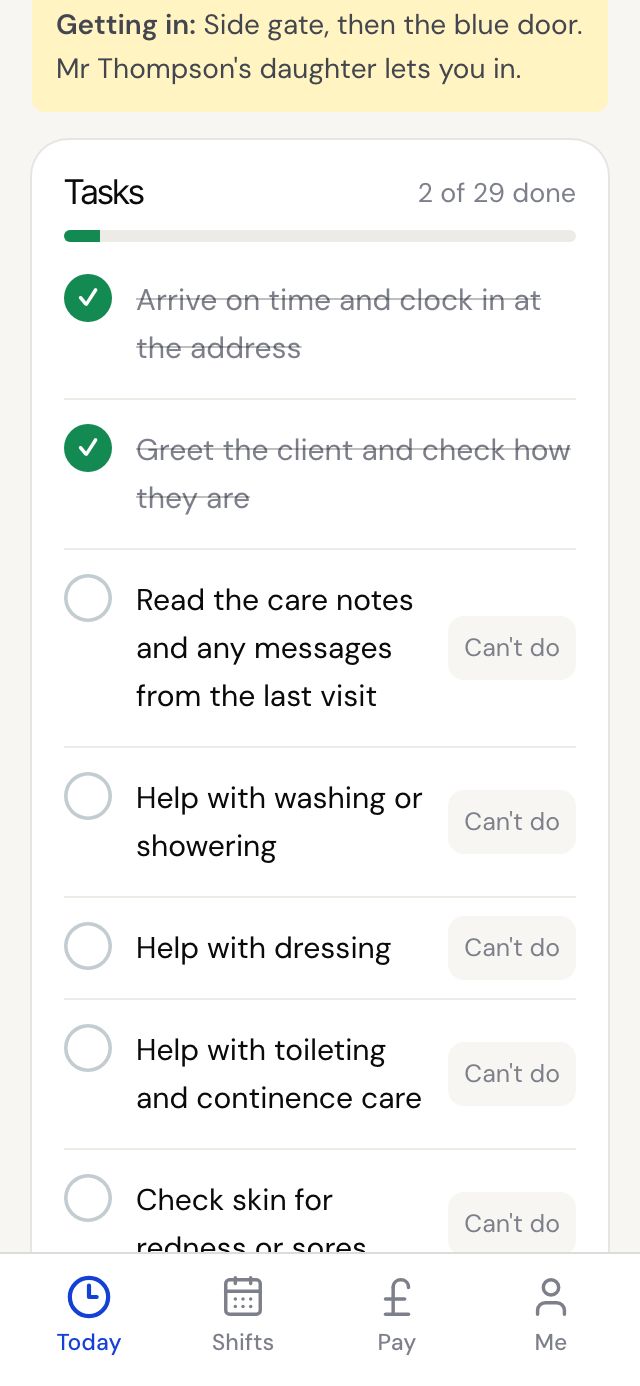
Each visit has a task list from the client. Tick each one as you go.
Step by step
- Clock in first. Until then the list says Clock in to start ticking off tasks.
- Tap a task to tick it. Tap it again to undo.
- If you can't do a task, tap Can't do, write why, for example the client declined a shower, then tap Save reason.
- The count at the top shows how many are done.
Good to know
- Every task needs an answer, done or a reason, before you can finish the visit.
- Once the visit is finished the list locks. Call the office if something needs changing.