 Merriwood
Sign up and finish your profile
Create your free account, then work through six short steps so your agency can check you.
Step by step
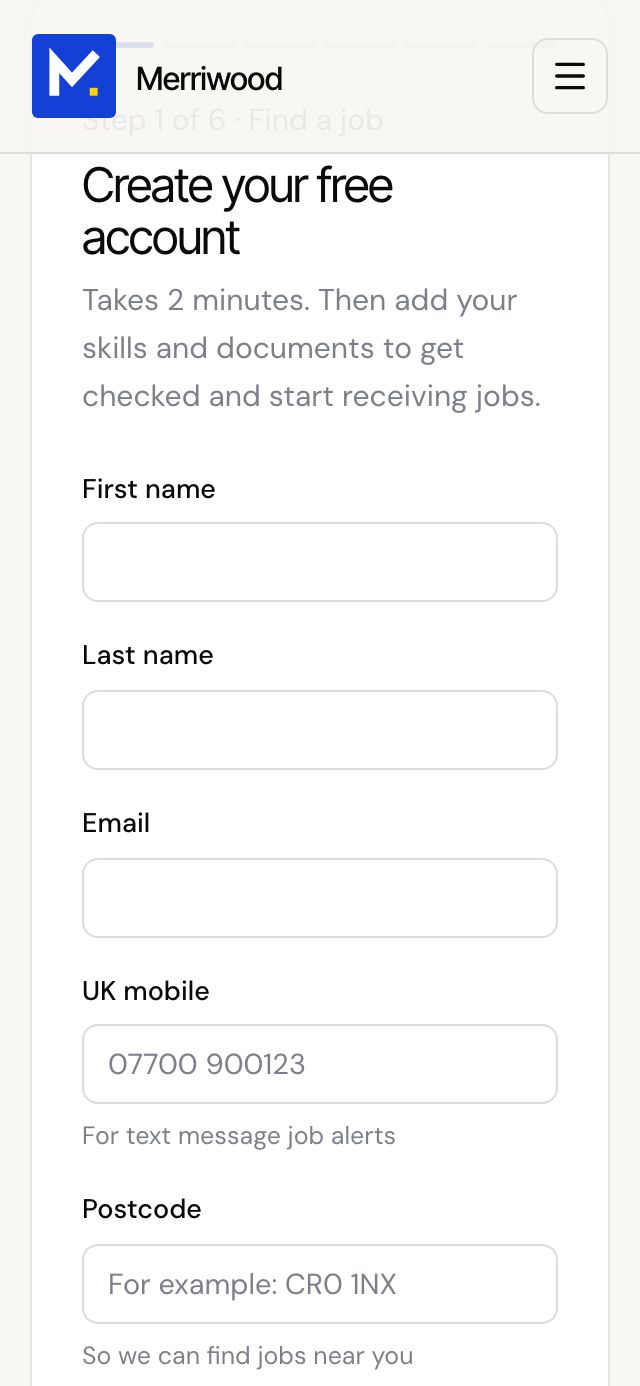
- Open the sign up page your agency sent you and fill in Create your free account: your name, email, UK mobile, postcode and a password of at least 8 characters.
- Add a clear photo of your face, like a passport photo. It's needed before you can sign up.
- Choose how you'd like job alerts, tick that you agree to the terms and privacy notice, then tap Create my free account.
- You're signed in straight away and we email you a welcome. If your agency has a team Telegram group, you'll see the link to join next.
- Work through the six steps: Account, Right to work, Skills and experience, DBS and certificates, Availability, CV and references. Tap Save and continue after each.
- On the last step tap Finish profile. If anything is still missing, the page tells you exactly what.
Good to know
- You can tap Skip for now and come back later. Your answers are saved.
- To finish you need your photo, proof of right to work, date of birth, National Insurance number, tax statement, DBS details and availability that includes at least two weekends a month.
- When you finish, we email you and the office is told your profile is ready to check.