 Merriwood
Sign your worker agreement
Read and sign your agreement on your phone. It takes about five minutes.
Step by step
- After orientation you'll get an email and a text with a link to your agreement. You'll also see Sign your worker agreement at the top of the app.
- Tap Read and sign. You can also get to it from Me, then Worker agreement.
- Read The key points and the full terms.
- Type Your full name, then sign in the box with your finger. Prefer not to draw? Tap Type my signature instead.
- Tick I have read and agree to these terms. If you want to work more than 48 hours a week on average, you can also tick the 48 hour opt out.
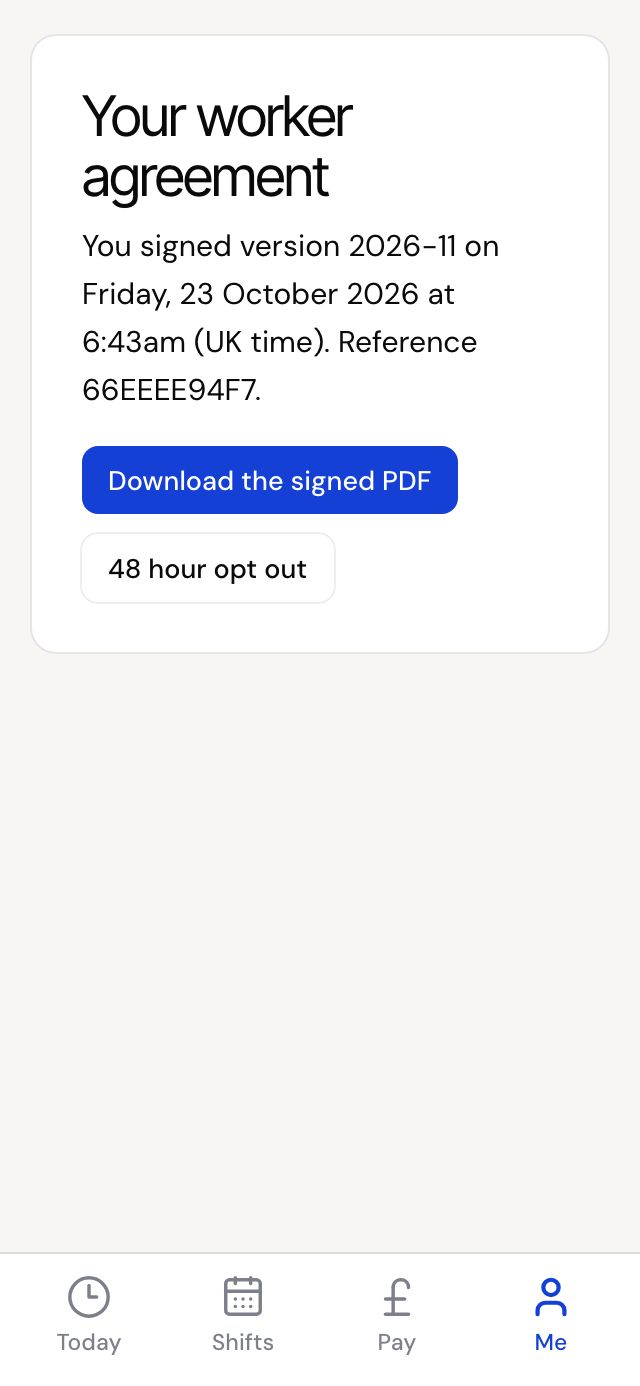
- Tap Sign my agreement. We email you a signed copy and it's kept in Documents.
Good to know
- The link in the email and text works for 30 days and doesn't need you to sign in.
- If your agency updates the agreement, you'll be asked to sign the new version before your next shift.
- Changed your mind about the 48 hour opt out? Go to My details and tap Cancel my 48 hour opt out. It takes 7 days' notice.