 Merriwood
Edit your contracts
Change the wording of the client agreement or the worker agreement, with every version kept.
Step by step
- Open Agency details and find Contracts. Each agreement has Preview, Download PDF and Edit wording.
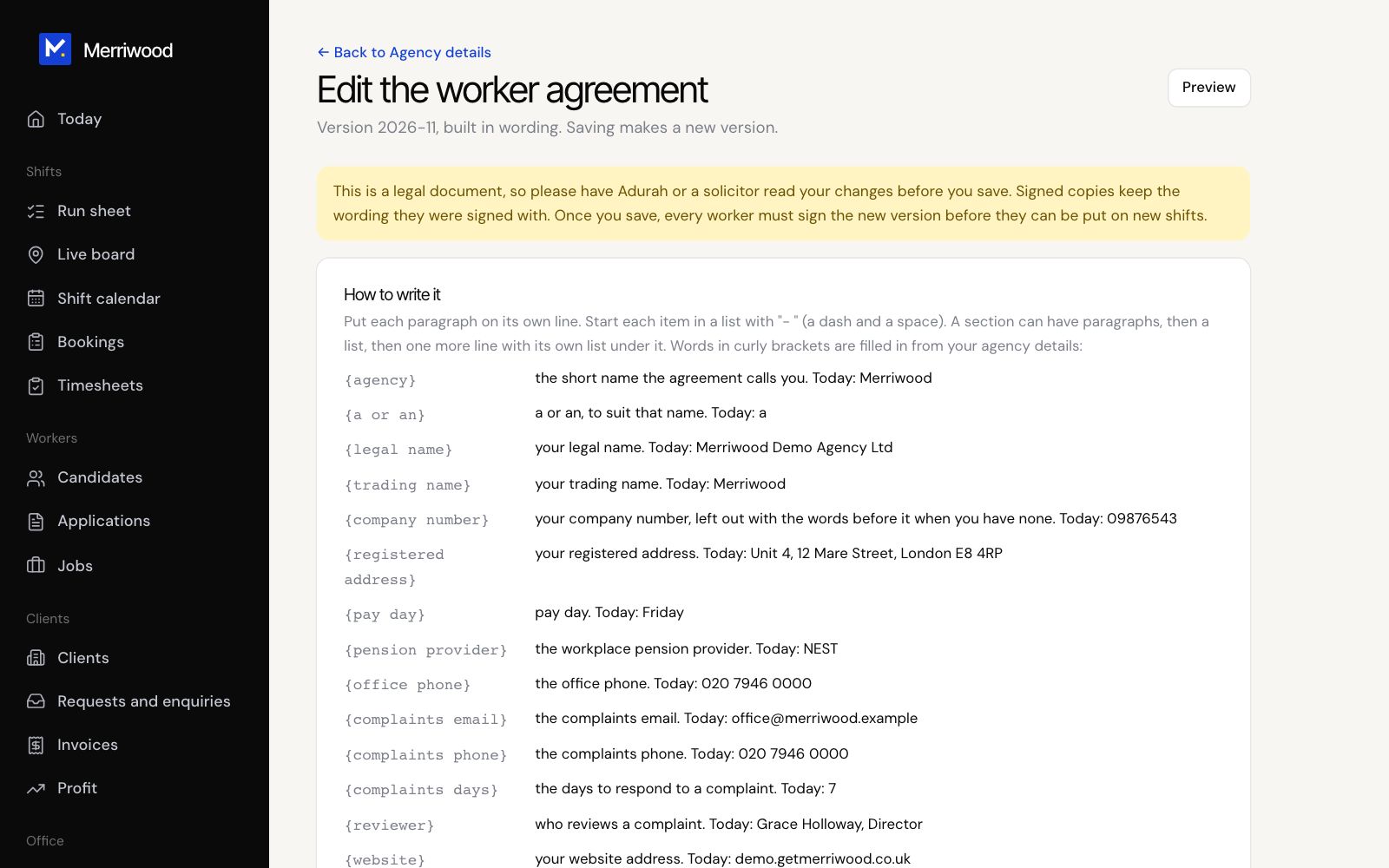
- Click Edit wording. Each section has a heading and its wording. Write one paragraph per line, and start list items with a dash and a space.
- Use the placeholders listed under How to write it, such as {agency}, so details fill in for you.
- Click Add a section or Remove this section as needed.
- Click Save as a new version. Older versions stay in Version history.
Good to know
- Have a solicitor read any changes before you use them.
- After you save a new worker agreement, every worker must sign the new version before new shifts. After a new client agreement, signed client agreements show as out of date and need sending again from each booking.
- Start again puts the original wording back. You'll need to tick to confirm.