 Merriwood
Sign in and the Today page
Your starting point each morning: what's happening now and what needs you.
Step by step
- Go to the sign in page, enter your email and password and click Sign in. Office accounts go straight to Today.
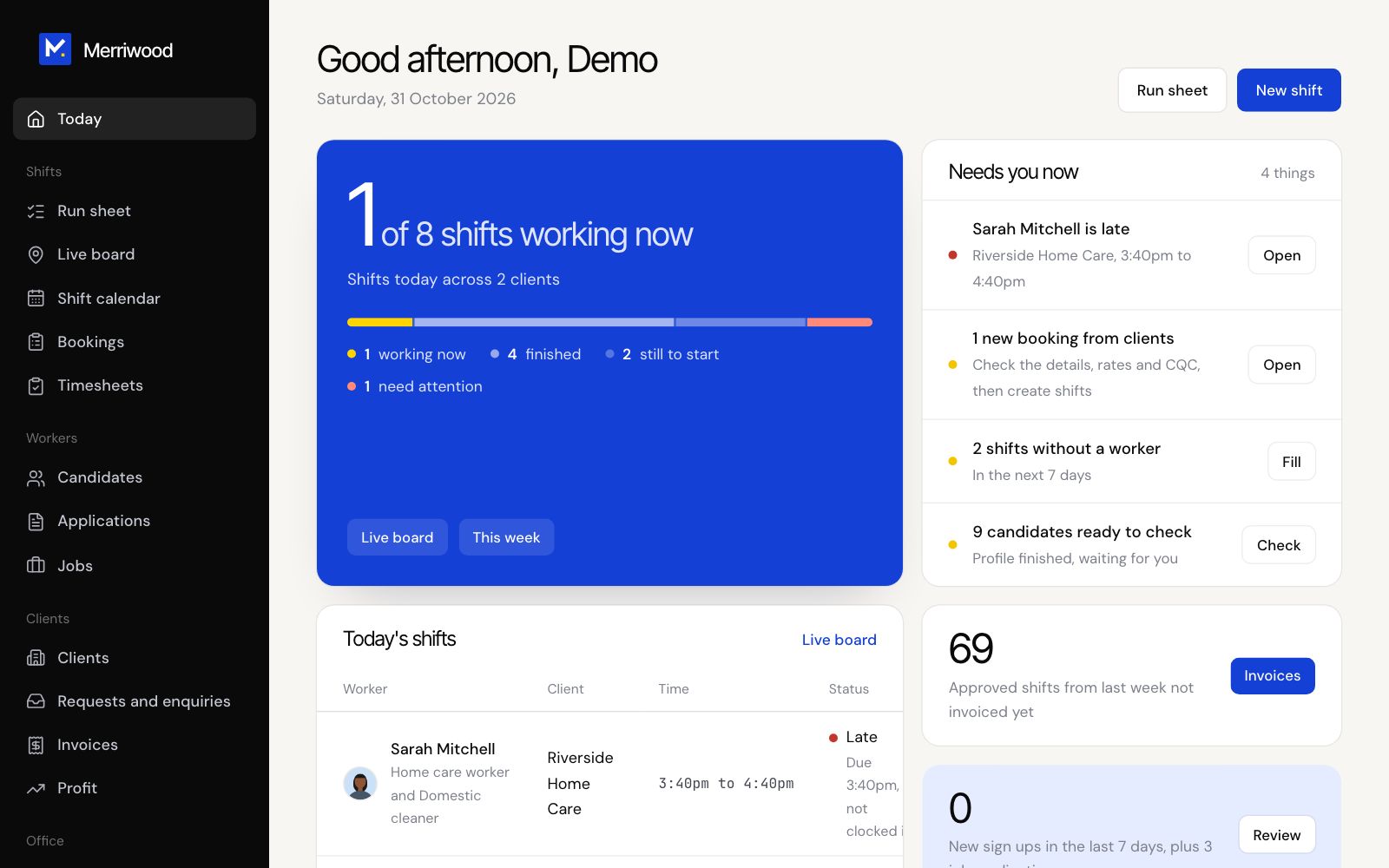
- The top card shows how many shifts are working now out of today's total, with Live board and This week buttons.
- Needs you now lists the most urgent things first: late workers, new bookings, shifts without a worker, enquiries, candidates ready to check, DBS checks due and timesheets to approve. Each has a button to deal with it.
- Today's shifts lists who is working where, with their status.
- The cards at the bottom show approved shifts not invoiced yet, new sign ups this week and papers expiring in the next 30 days.
Good to know
- When Needs you now says Nothing waiting. Everything is up to date, you're clear.
- Forgotten your password? Click Forgotten your password? on the sign in page. The link works for one hour.